
Screenshots
About Sunset Photo Editor
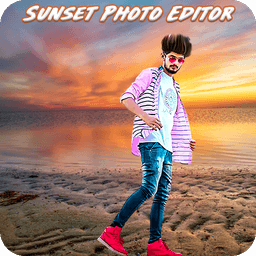
Sunset Photo Editor is your go-to photo editing app for transforming ordinary snapshots into stunning visual memories. Whether you're editing photos from your gallery or capturing fresh moments with your camera, this free, lightweight editor makes it simple to add professional polish to every image.
Turn any photo into a work of art by choosing from a wide variety of beautiful backgrounds in different styles and colors. The app gives you complete control over your image composition—rotate, scale, zoom in, and zoom out to frame your shot exactly as you envision it. Once your base is set, layer on creative enhancements that bring your vision to life.
Express your creativity with stylish text overlays that add personality and meaning to your photos. Combine text with eye-catching stickers to craft messages that resonate with your audience. Apply professional photo effects including black and white filters, greyscale transformations, and more to set the mood and tone of each image. Access the latest photo frames designed to complement any subject, from portraits to landscapes, ensuring your finished work looks polished and intentional.
The editing experience is intuitive and responsive across all screen sizes—whether you're working on a smartphone or tablet, the interface adapts seamlessly. Every tool is designed for quick access without overwhelming menus, so you can focus on being creative rather than learning complex workflows. The lightweight design means smooth performance even on devices with limited storage space, and you'll spend less time waiting and more time creating.
Once you've perfected your edit, saving and sharing take just a tap. Share your enhanced photos directly to friends and family through your preferred messaging or social apps. Showcase your work and inspire others to try creative photo editing themselves. Download Sunset Photo Editor today and discover how simple it is to capture and preserve your most meaningful moments with style.
Pros & Cons
Pros
- Lightweight design ensures smooth performance on storage-limited devices
- Intuitive interface with quick-access tools minimizes learning time
- Wide range of backgrounds, frames, effects, and stickers in one app
- Responsive layout adapts seamlessly across phones and tablets
Cons
- Free version likely includes ads or paywalls for premium filters and effects
- Photo editing requires exporting/saving, creating extra steps before sharing
- Limited control over advanced adjustments like exposure, contrast, or saturation
- Camera capture and gallery access requires persistent permission grants
Related Apps

GIMP
Open-source photo editor and digital art studio with professional tools for retouching and illustration.

Paint.NET
Free photo editing software with layers, effects, and unlimited undo for Windows.

Photoscape
Photo editor with viewer, collage maker, GIF creator, and batch tools—all in one free app.

3D Emoji Face Camera
KEVIN STUDIO
3D emoji face camera with live filters and animated effects. Create fun selfies instantly.

Profile Picture Downloader HD
helalik
Download Instagram profile pictures in HD — no login required, view and save instantly.
Beauty Camera Plus
Photo Created
Photo editor with beauty filters for selfies, portraits, and real-time enhancement — free download.
Latest Articles

Best AI admin task automation apps for desktop in 2026 (we tested 7)
Jul 11, 2026

Best AI coding tutor apps for desktop in 2026 (we tested 7)
Jul 11, 2026
Best apps for AI red teaming on desktop in 2026 (free and paid)
Jul 11, 2026

Best apps for the *arr media stack on desktop in 2026 (we tested 7)
Jul 11, 2026
Best apps for benchmarking local LLMs on desktop in 2026 (free and paid)
Jul 11, 2026